
Aide et astuces pour creer et personnaliser un blog
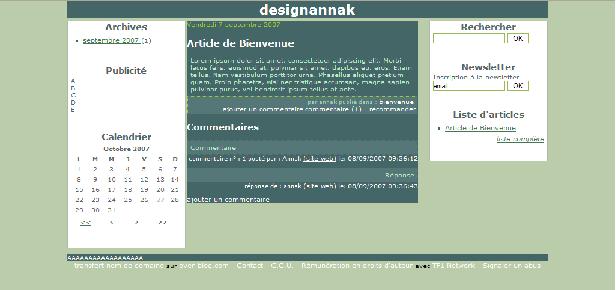
AVANT TOUTES ACTIONS :
Si vous êtes en mode normal, vous faîtes ces modifications dans le CSS Global Mon Style
Si vous êtes en mode avancé, vous faîtes ces modifications dans tous les CSS Mon Style
La ligne existe déjà
body {margin:0px; padding:0px; background-color:#BBCCAA; font-family: Verdana, Helvetica, Arial, sans-serif; font-size:x-small;}
vous modifiez ce qui est en bleu
body {margin:0px; padding:0px; background:none; font-family: Verdana, Helvetica, Arial, sans-serif; font-size:x-small;}
La ligne existe déjà
#top { color:#FFFFFF; background-color:#446666; border:1px solid #446666;}
Vous modifiez ce qui est en rouge
#top { color:#FFFFFF; background:none; border:1px solid #446666;}
La ligne existe déjà
#footer {margin-top:10px; position:relative; color:#FFFFFF; background-color:#446666;}
Vous modifiez ce qui est en rouge
#footer {margin-top:10px; position:relative; color:#FFFFFF; background:none;}
La ligne existe déjà
#cl_1_1 {margin-bottom:5px; color:#B9EECC; background-color:#466; margin-left:2px; margin-right:2px; padding: 0;}
Vous modifiez ce qui est en rouge
#cl_1_1 {margin-bottom:5px; color:#B9EECC; background:none; margin-left:2px; margin-right:2px; padding: 0;}
Vous rajoutez la ligne
.afterArticle {background:none;}
La ligne existe déjà
.commentMessage {padding:5px; border:1px dotted #446666; ; margin:0px; background-color:#557777;}
Vous modifiez ce qui est en rouge
.commentMessage {padding:5px; border:1px dotted #446666; ; margin:0px; background:none;}


/http%3A%2F%2Fwww.casimages.com%2Fimg%2Fgif%2F07090701043862651176718.gif)
/http%3A%2F%2Fwww.casimages.com%2Fimg%2Fjpg%2F07091705503162651247779.jpg)
/idata%2F0371767%2FV2%2Fadminv2.gif)
/https%3A%2F%2Fassets.over-blog.com%2Ft%2Fcedistic%2Fcamera.png)